
How to Find Free Dispersed Camping in Colorado
What Is Dispersed Camping and Why Should You Care?
If you’ve been paying $30–$50 a night to stay in a crowded campground, this post is going to change the way you camp in Colorado.
Dispersed camping is free camping on public land such as Bureau of Land Management (BLM) or US Forest Service (USFS) land. No reservation, no fee, no campground host, and often no one else around for miles. It’s first-come, first-served, and it’s one of the ways to camp (in our opinion).
Colorado is one of the best states in the country for this. With 11 national forests, 2 national grasslands, and millions of acres of BLM land, there is an enormous amount of public land open to dispersed camping. The trick is knowing the rules, using the right tools, and doing a little planning before you head out.
This guide walks you through exactly that.
The Rules You Need to Know First
Before getting into the apps and maps, here are the basics. These apply across BLM and USFS land in Colorado, though specific areas may have additional restrictions.
Stay Limit
You can camp in one spot for up to 14 days within any 28-day period on most BLM land. After that, you need to move. National Forest stay limits are similar but can vary by district.
Use Existing Sites
Set up at a previously used site when one is available. Look for fire rings as your indicator. Don’t create new clearings or fire rings or drive off of the designated road.
Setback Requirements
Camp at least 100–200 feet from water sources, trails, and roads. 200 feet is a safe standard that meets most district requirements.
Fire Restrictions
Colorado sees active fire restrictions from late spring through fall, and they change frequently. Always check cofireinfo.com before your trip. Violating fire restrictions is not only a serious offense, but it can lead to a forest fire, which we all want to avoid.
Leave No Trace
Pack out everything you bring in. There are no trash services at dispersed sites.
Know What Land You’re On
BLM and USFS land are open to dispersed camping by default unless posted otherwise. State parks, wilderness areas with specific rules, and private land are not. The tools below help you confirm exactly what land you’re on.
The Tools: What We Actually Use and Recommend
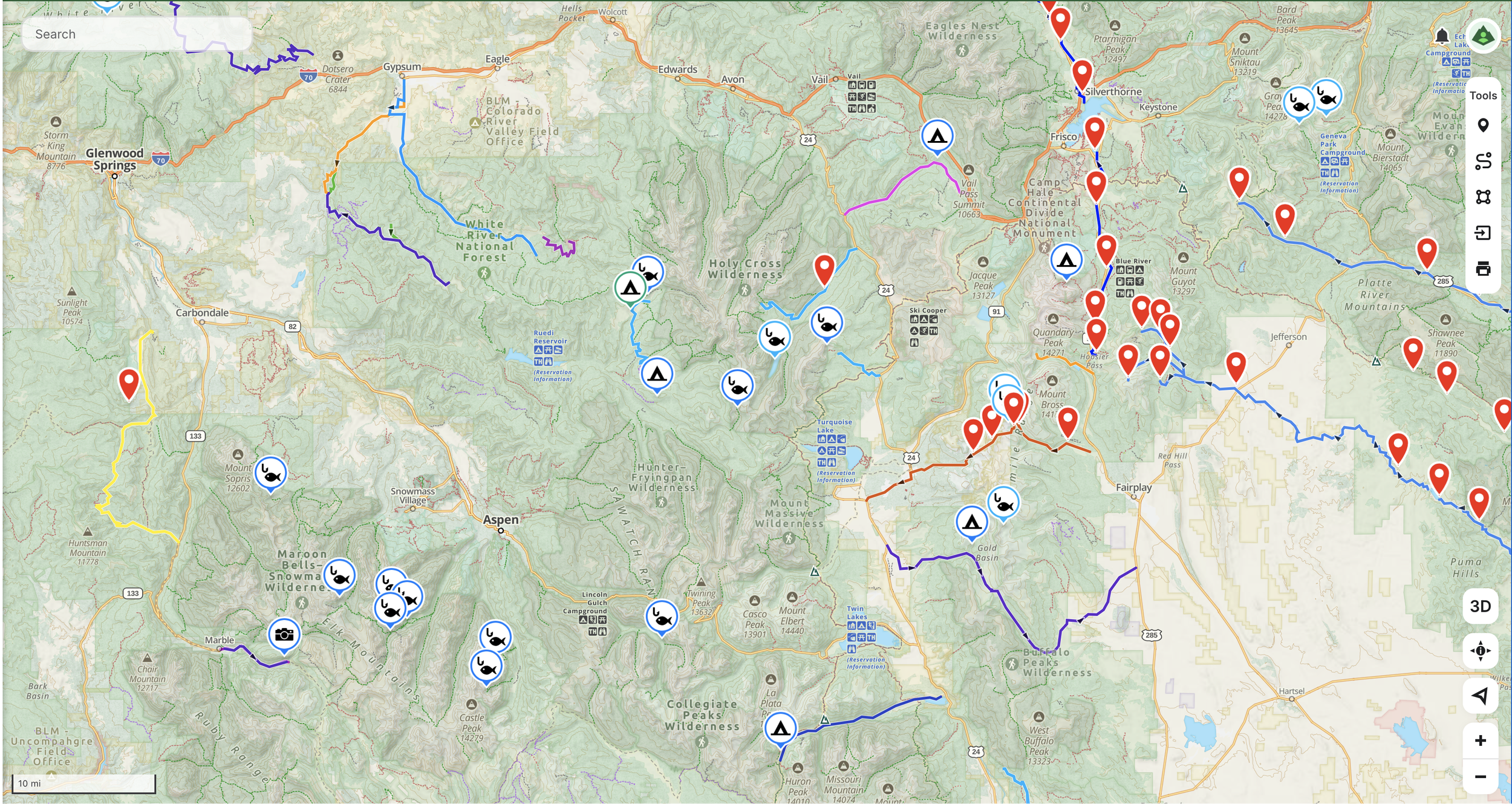
1. Gaia GPS: Best for Layered Backcountry Navigation
Best for: Serious backcountry trip planning, offline topo maps, layering public land boundaries over satellite imagery
Free: Basic navigation, limited map sources, no offline download
Premium (~$60/year): Full map catalog (300+ maps), offline downloads, USFS MVUM overlay, public land boundaries, slope angle shading, and more
Premium with Outside+ (~$90/year): All Premium features plus Outside magazine digital content and courses
Download Gaia GPS: gaiagps.com
Gaia GPS is the gold standard for backcountry overlanders. The power is in the layering system. Here’s the workflow:
Open Gaia GPS and navigate to the area you’re exploring.
Add the Public Lands overlay. This color-codes all public land by agency — BLM (yellow), National Forest (green), National Park (darker green). If it’s BLM or USFS and not in a designated no-camping zone, dispersed camping is almost certainly allowed.
Add the USFS Motor Vehicle Use Map (MVUM) overlay. This shows which forest roads are legally open to motorized vehicles. A road on satellite imagery means nothing if it’s closed, the MVUM tells you what’s legal.
Switch to satellite view and zoom in along those open roads. Look for small pull-offs, flat areas, and existing fire rings. These are your candidate sites.
Download the map area for offline use before you leave cell service. In Gaia, tap the download icon and select the area you’ll be traveling through. It’s best to download a larger area than you think you’ll need to be safe.
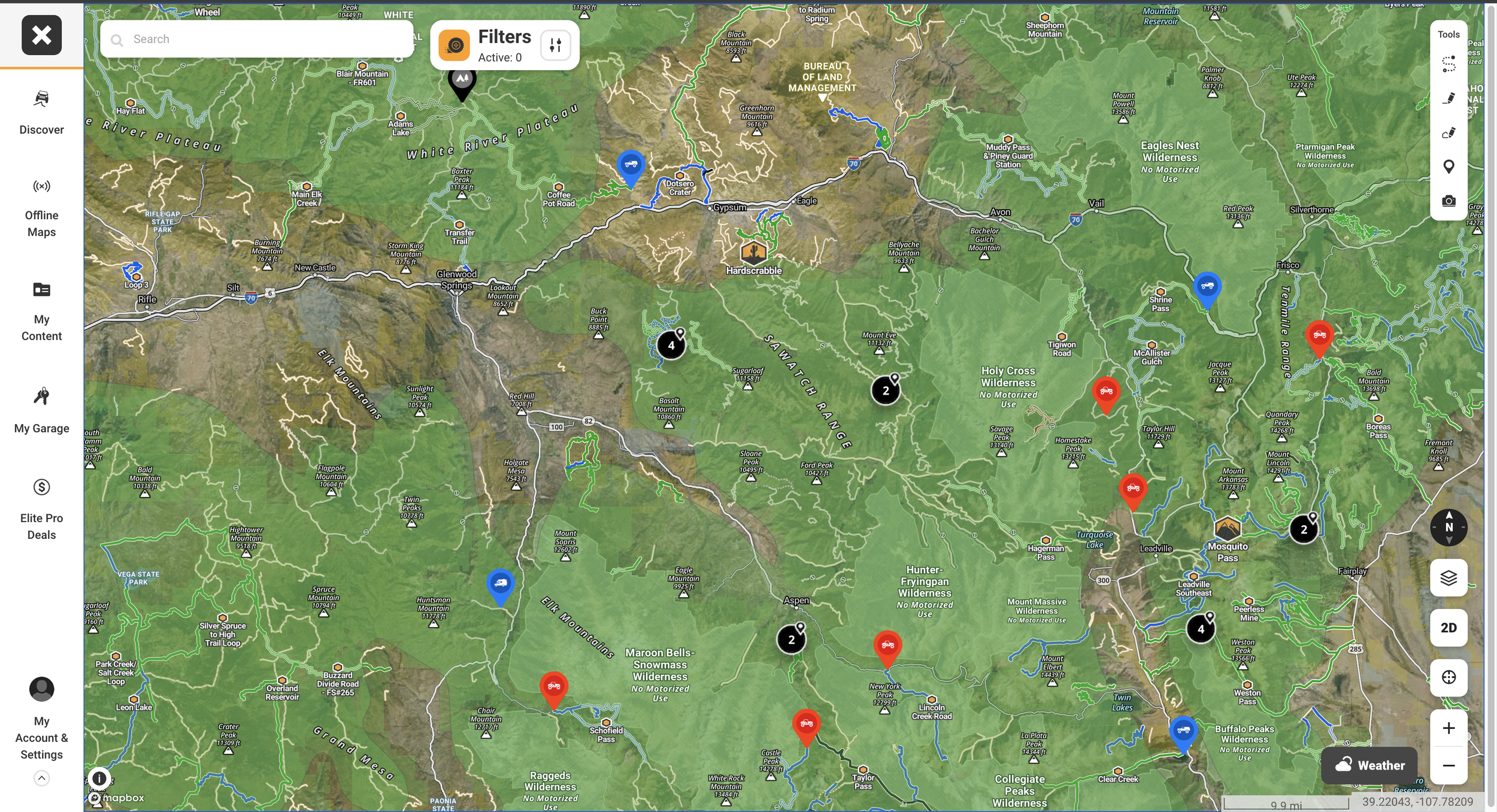
2. onX Offroad: Best for Trail Discovery and Land Access
Best for: Finding trails, understanding land access, checking open/closed status, overlanders who want trail-specific data
Free: Satellite/topo maps, 1 offline map, basic tracking
Premium ($34.99/year): 650,000+ miles of color-coded trails, unlimited offline maps, recreation points, featured trail descriptions
Elite ($99.99/year): All Premium features plus private land boundaries, landowner names, and recent satellite imagery updated every 2 weeks
7-day free trial available for both tiers.
Download onX Offroad: onxmaps.com/offroad
onX Offroad is purpose-built for off-road vehicles. Here’s how to use it for finding dispersed camping in Colorado:
Open onX Offroad and navigate to the region you’re targeting.
Look at the color-coded trail system. Green = open to your vehicle type, red = temporarily closed. Filter by vehicle type so you only see trails you can legally access.
Toggle on the Public Lands layer. Like Gaia, this shows the managing agency for each parcel so you know where dispersed camping is permitted.
Tap on a trail or road to see details such as difficulty rating, surface type, photos from other users, and recent trail condition reports.
Drop waypoints on candidate campsites as you plan, then share the route with your group before you leave.
3. Free Resources
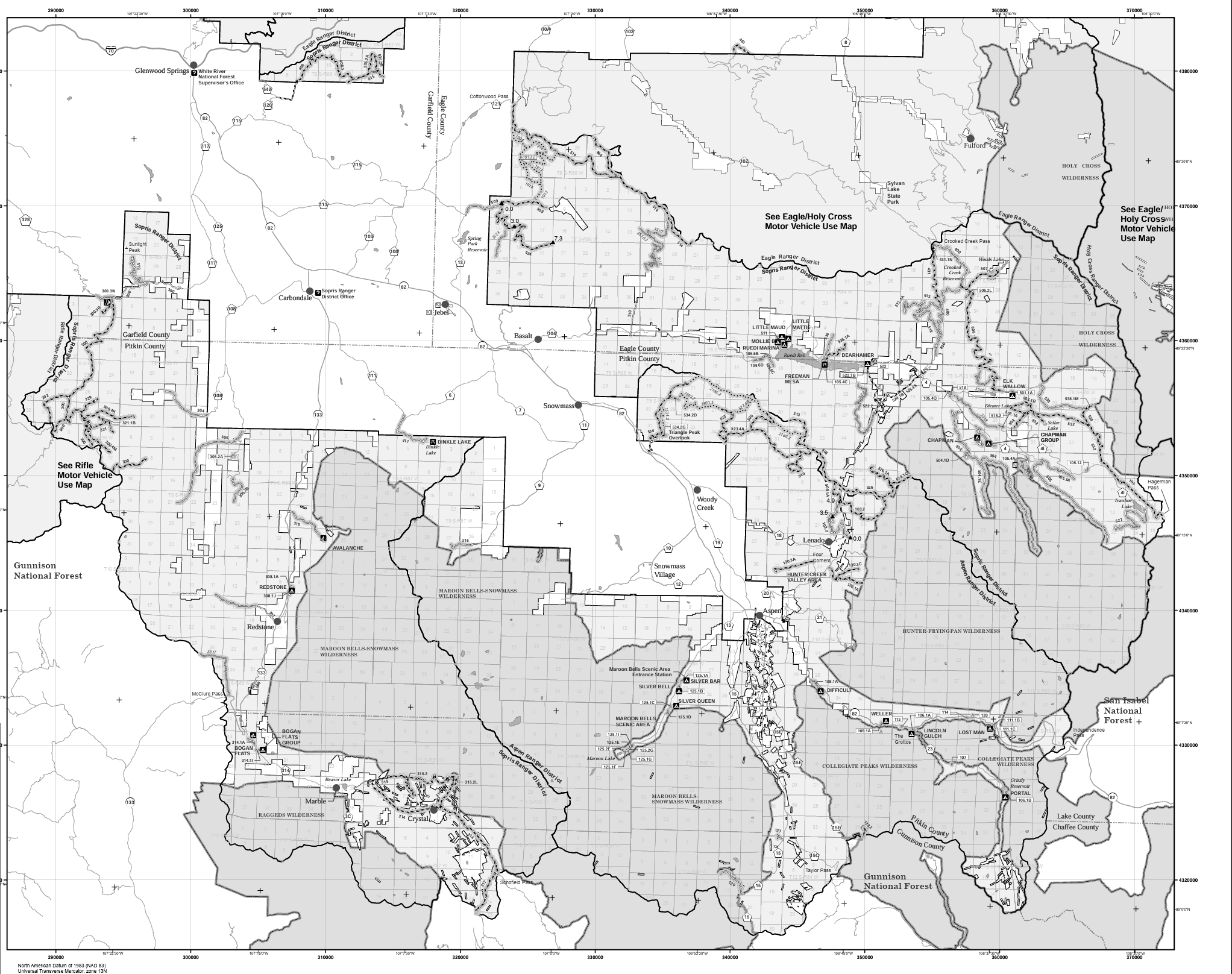
USFS Motor Vehicle Use Maps (MVUMs)
Free | No account required
The USFS publishes Motor Vehicle Use Maps for every ranger district in Colorado. These are the official legal maps showing which forest roads are open to motorized vehicles. Available as free PDFs and as georeferenced maps in the Avenza Maps app.
Download Colorado MVUMs: staythetrail.org/mvum — a Colorado-specific hub that compiles all state USFS MVUMs in one place.
How to use them:
Find the ranger district you’re visiting at staythetrail.org/mvum
Download the PDF or open the link on your phone
Roads marked with dots along the sides indicate designated camping areas on older-format maps
Print a section before you go as a backup since you won’t always have cell service
FreeCampsites.net
Free
A crowd-sourced database of free and low-cost campsites across the US, including hundreds of dispersed sites in Colorado. The interface is basic but the data is solid, and you sometimes find spots here that aren’t listed on newer apps.
iOverlander
Free
Built for the overlanding community specifically. A crowd-sourced map of campsites, water sources, fuel, and points of interest. Strong on Colorado backcountry sites with user notes on road conditions, clearance requirements, and seasonal access.
BLM Colorado Field Office
The BLM’s own tools let you view public land boundaries, road status, and camping restrictions directly from the source. Useful for finding your local field office contact info when you need current closure information.
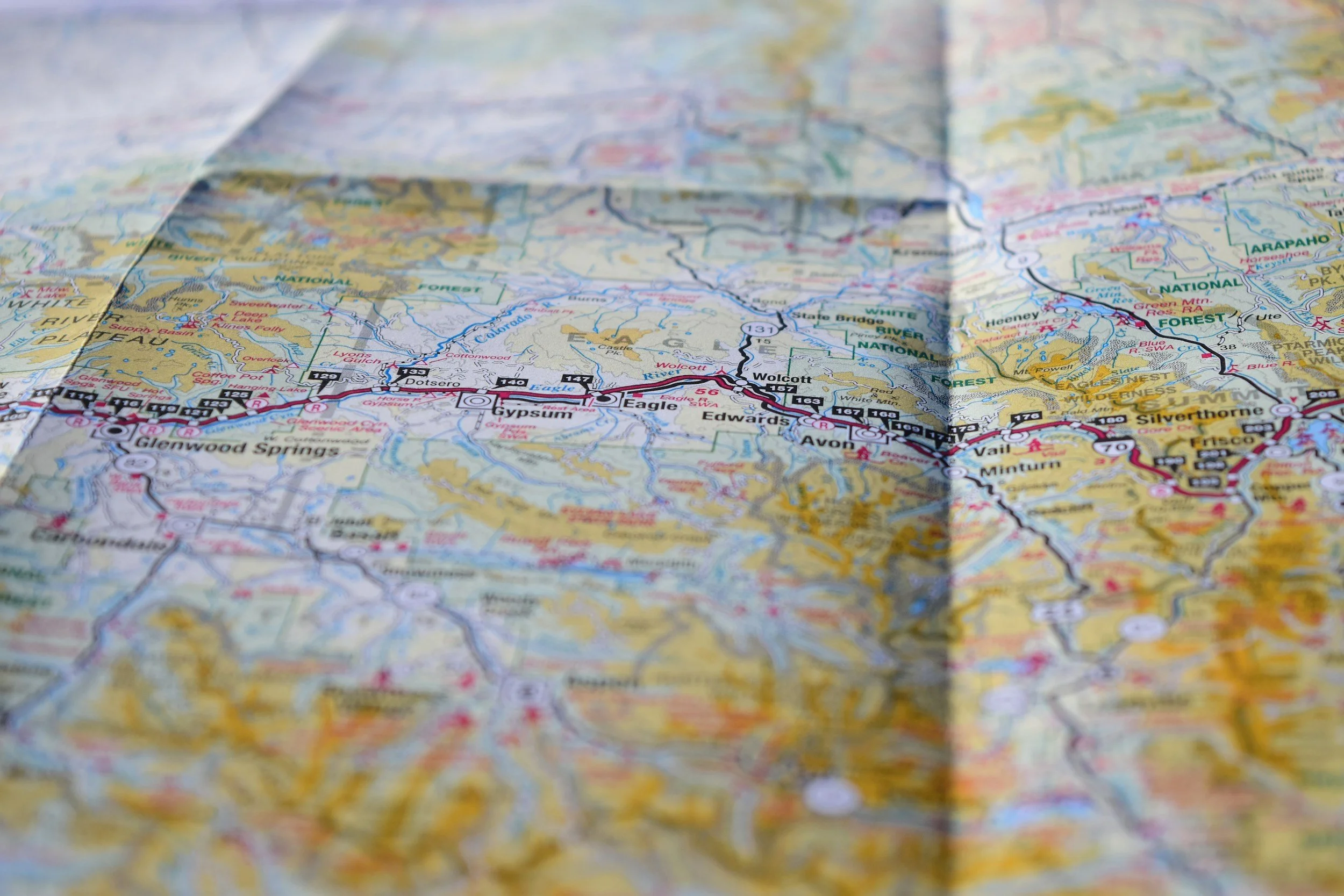
4. Physical Maps
A National Forest Visitor Map for the forest you’re exploring is one of the most useful things you can have in your overland vehicle. These large-format paper maps show forest roads, campground locations, wilderness boundaries, and recreational areas in more visual detail than most digital tools.
Nat Geo Trails Illustrated Maps
Cover specific Colorado regions in excellent detail and are waterproof. Available at outdoor retailers or directly from National Geographic.
Price: ~$12–15 each
USFS Visitor Maps
Available free or low-cost at ranger district offices and are a good reason to stop in before your trip anyway, since rangers can give you current intel no app can match.
Price: Free or low cost at ranger stations
Step-by-Step: How We Plan a Dispersed Camping Trip in Colorado
Here’s the actual process, from couch to campsite.
Decide generally where you want to go. White River National Forest, the San Juans,Gunnison area, the Arkansas River Valley. Start broad.
Google “[forest name] ranger district dispersed camping” Some forests like Pike restrict dispersed camping to designated sites only. Know before you go.
Visit cofireinfo.com and confirm current fire restrictions for your target area.
Layer on Public Lands and the MVUM overlay. Identify forest roads that are open to your vehicle on BLM or USFS land.
Switch to satellite view and look for flat pull-offs, existing clearings, and fire rings along those open roads. Drop a pin on anything promising.
Check for recent reviews on road conditions, clearance requirements, and seasonal access.
In Gaia or onX, download the map area before you leave cell service.
Identify 2–3 candidate sites. Dispersed sites are first-come, first-served and popular spots on summer weekends fill up.
Rangers can give you current road conditions, recent closures, and a free paper MVUM. Five minutes with a ranger is worth an hour of research at home.
Use existing fire rings. Camp 200 feet from water. Pack out all trash. Don’t cut vegetation. The reason these places stay open is because enough people treat them right.
Colorado-Specific Tips
Elevation Matters for Seasonality
Many Colorado forest roads above 9,000–10,000 feet don’t open until late May or June due to snowpack, and some close again by October. Check the MVUM and call the ranger district if you’re planning a shoulder-season trip.
The Front Range Gets Crowded
Areas close to Denver and Boulder (i.e. Pike National Forest, portions of Arapaho and Roosevelt) see heavy use on summer weekends. Head to less-trafficked forests for more solitude.
Watch for Afternoon Thunderstorms
Colorado’s summer thunderstorm pattern is reliable and intense, particularly above treeline. Plan your camp setup for morning and be off exposed ridgelines by early afternoon. Also avoid parking under dead trees (a.k.a widowmakers) as these can blow over in storms.
Bears Are Real in Colorado
Store food properly in a hard-sided cooler in your locked vehicle, or a bear canister if you’re away from the rig. This is especially important in the San Juans and White River areas.
Ready to Get Out There?
The tools are all here. The land is public. The only thing between you and a free campsite in the mountains is a little planning.
If you’re heading out in a rig that’s not quite ready for the backcountry yet — or if you’re not sure what “ready” even looks like — that’s a conversation we’re happy to have.
Reach out to start planning your build!
